
Lighting works best when it lives inside the same digital ecosystem as the rest of the project. Our in-model automation streamlines data, compliance, and coordination so teams can design with confidence.
At Nightjar, we believe lighting design should live inside the same digital ecosystem as architecture and engineering – not sit apart from it. Our In-Model Integration & Automation Services streamline how lighting data is modelled, checked and shared in Revit® and BIM environments. We help studios and contractors build efficient, compliant workflows that turn lighting from a coordination burden into a design advantage.
Our work bridges architectural lighting expertise and digital design automation. We set up project templates, parameters, and shared standards so models can calculate, schedule, and verify lighting performance directly in-model using platforms such as ElumTools® or AGI32-linked workflows. By embedding compliance logic and photometric data within the design process itself, every luminaire is traceable, every schedule reproducible, and every calculation audit-ready.
Networks
Industry Partnerships & Collaboration
12+
Years Combined Experience
Award Winning
Awarded Commendation in the 2025 IESANZ Lighting Awards
Technical Expertise Beyond Aesthetics
Our integration and automation capabilities strengthen BIM-based lighting design, from clean data foundations to verified in-model calculations. We set up templates, parameters, workflows and reporting tools that make lighting easier to model, easier to check, and easier to deliver.
Lighting design, built into your model from day one.
Revit lighting templates save time, reduce rework, and keep documentation consistent. Nightjar develops pre-configured Revit Lighting Templates tailored to BIM lighting workflows. Teams can start with coordinated views, filters, parameters and schedules that align with AS/NZS standards and your project conventions.
We begin by reviewing your current Revit lighting deliverables, title blocks, and scheduling needs. From there, we design a template structure that supports concept, design development, and construction documentation. Views, view templates, filters, and sheets are set up for plans, sections, details, and calculation outputs. Shared parameters are mapped for luminaire data, circuiting and ElumTools compatibility. We include compliance-ready schedules, legends, and print sets, then test the template against a sample model to confirm performance and clarity. Handover includes a short guide so teams can deploy the template reliably across new projects.
Workflow solutions
Start projects with ready-made lighting views, sheets, and filters pre-aligned to your documentation standards.
Shared parameters, tags, and schedules ensure every user produces uniform, auditable outputs.
Templates include parameter mapping and view templates tuned for in-model lighting calculations.
Pre-configured schedules for luminaire types, emergency classifications and load summaries.
Templates are tested and verified against sample projects for clarity and performance before handover.
Each template package includes a quick-start deployment guide so teams can implement it immediately.
Related Services
Clean data. Efficient models. Reliable results.
Lighting models are only as strong as the data that drives them. Redundant families, inconsistent parameters or inefficient model structures can slow documentation, distort calculations and erode confidence in deliverables. Nightjar’s QA and optimisation services ensure your Revit lighting workflows are consistent, efficient and ready for calculation, coordination, and audit.
We review both family libraries and full project templates to identify and correct issues that affect accuracy or performance. Each lighting family is checked for parameter integrity, ElumTools compatibility, and light-source geometry, position and orientation. At the model level, we streamline shared parameters, view templates and nested data to improve calculation speed, coordination and compliance alignment. The outcome is a lighting library and workflow that perform smoothly, consistently, are auditable, and ready for project delivery.
Workflow Solutions
Identifies redundant data, naming conflicts and performance inefficiencies across lighting models.
Unified naming conventions and data types for easier tagging, scheduling and coordination.
Verified photometric data and correctly defined light-source geometry for accurate in-model calculations.
Summary of family and model findings with traceable recommendations.
Updated parameters and templates aligned with AS/NZS standards, ready for scalable project deployment.

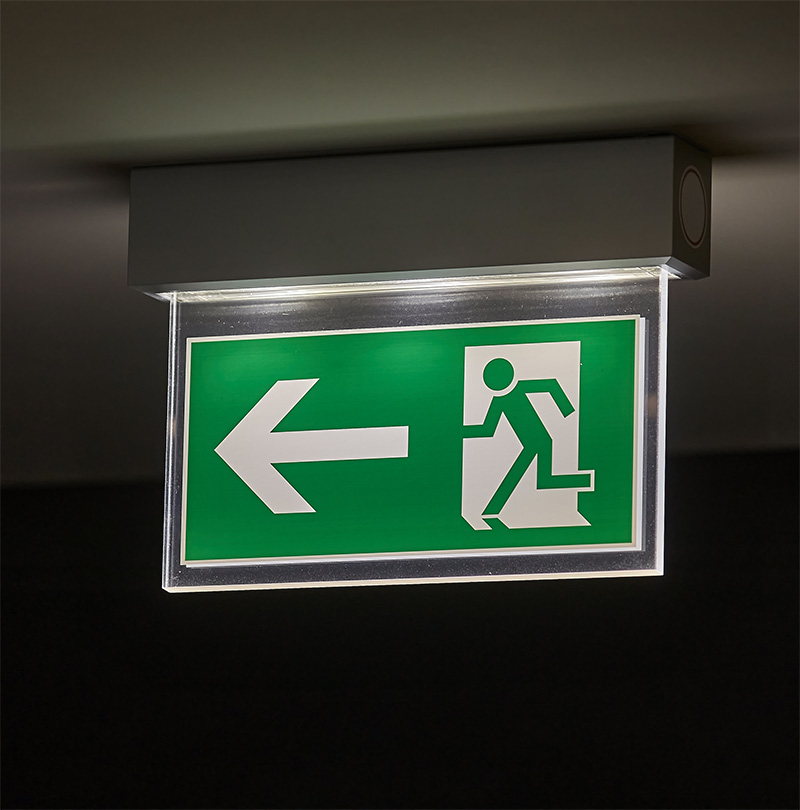
Data you can trust. Documentation that supports your design
Clear schedules mean fewer surprises at certification. Nightjar Lighting Design streamlines compliance documentation by building and verifying lighting schedules directly in Revit® aligning data with Australian Standards and ensuring every value stands up to review.
We build schedules that go beyond fixture lists, presenting clear, verifiable evidence of compliance. Lighting, emergency, and power schedules are configured to align with AS/NZS 1680, AS/NZS 2293 and Section J6 of the NCC. Each schedule is tailored to your workflow, whether for design verification, construction issue, or certification and every field is tested to ensure the right data displays cleanly and consistently across deliverables.
Workflow Solutions
Shared parameters and mapped data fields ensure lighting, emergency, and control schedules align seamlessly across documentation sets.
Linked photometric and IES data ensure all output, wattage, and classification values remain consistent across models and reports.
Structured schedules and quality checks deliver traceable, outputs suitable for peer review, client QA, or compliance submission.
Accurate data builds trust. Nightjar’s compliance schedules ensure every figure in your Revit model stands up to scrutiny, from the first concept issue to final certification.
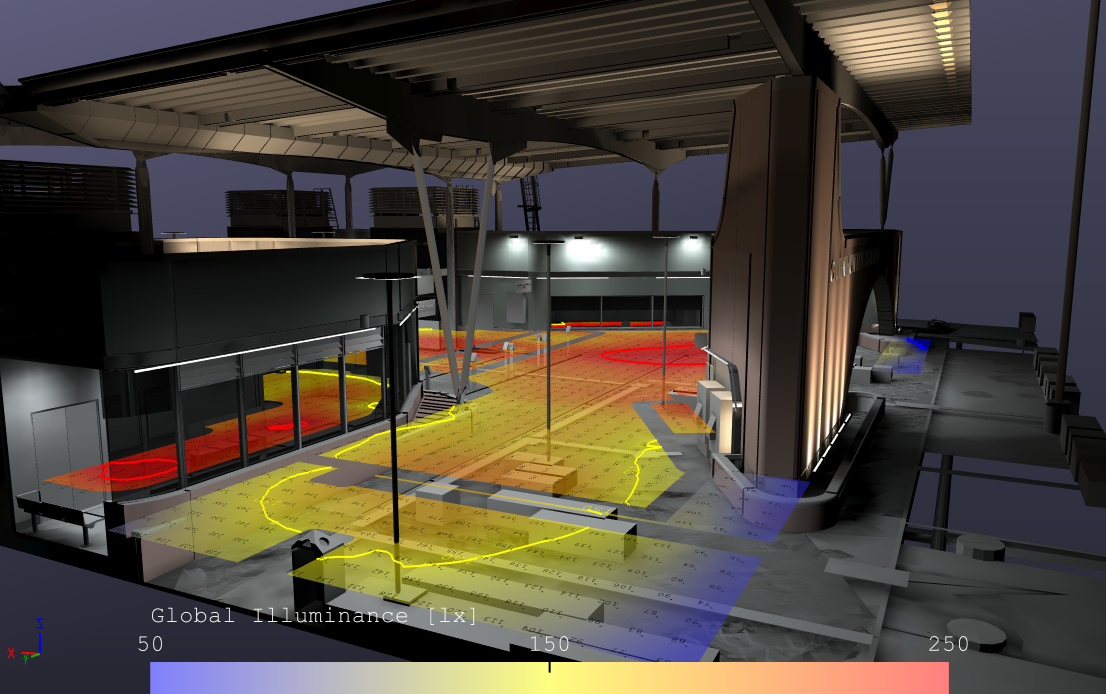
Verified performance, right where you design.
Many lighting designs are created outside the model which means data often has to be re-entered, rechecked or reinterpreted before issue. Nightjar eliminates that step. We perform in-model lighting calculations using ElumTools® , integrating verified photometric data directly into the Revit environment.
Our team can work from your Revit® model or from design mark-ups, building accurate lighting layouts that meet Australian Standards. Each calculation includes illumination levels, uniformity checks, and point-by-point verification. We ensure results are traceable and audit-ready, with outputs aligned to your documentation format and compliance requirements.
Workflow Solutions
Clean data, clear compliance, and no double handling means in-model calculations that deliver confidence from the start.
Empowering your team to calculate, verify, and document – all within Revit®
Nightjar helps studios and contractors bring lighting verification in-house through tailored ElumTools® configuration and training. We establish consistent, repeatable workflows so your team can run accurate, compliant lighting calculations directly inside their own Revit models.We configure your ElumTools environment, align project parameters, and set up calculation templates to match your documentation standards. Training focuses on both the technical and procedural from defining analysis grids and material reflectances to interpreting results for compliance. The goal is simple; to make lighting calculations an efficient, everyday part of your BIM workflow rather than a bottleneck.
Workflow Solutions
Configuration of ElumTools® within your Revit project, aligned to your standards and deliverables.
Mapping of luminaire data, material properties, and calculation zones for consistent results.
Ready-to-use calculation templates and reporting layouts that fit seamlessly into your workflow.
Practical instruction on running calculations, reviewing results and maintaining accuracy across projects
Continued assistance to troubleshoot, update, or refine your workflow as your team grows.
Lighting verification shouldn’t sit outside your design process. With Nightjar’s setup and support, your team can model, calculate, and report with confidence — all within the same digital environment.
Why Nightjar
We combine lighting design expertise with BIM fluency. With over a decade in architectural lighting and Revit automation, we understand both the creative intent and the technical precision lighting documentation demands. Our tools and workflows are built by lighting designers for lighting designers – practical, compliant, and ready for real projects.
CLIENT FEEDBACK

“Their Revit automation saved us weeks on emergency lighting documentation. The automated spacing tables and compliance reports are game-changing for multi-storey projects."

Senior Electrical Engineer
Major Melbourne Engineering Firm
“The ALIA assessment for our coastal development was thorough, technically precise, and instrumental in securing EPBC approval. Their understanding of NLPGW guidelines is exceptional."

Development Director
Victoria Coastal Developer
"Compliance sign-off was seamless. Their AS/NZS 1680 documentation and AG132 calculations gave us complete confidence during building certification."

Development Director
Victoria Coastal Developer
“Their Revit automation saved us weeks on emergency lighting documentation. The automated spacing tables and compliance reports are game-changing for multi-storey projects."
Senior Electrical Engineer
Major Melbourne Engineering Firm
Whether you need lighting design, compliance calculations, Revit automation, or environmental lighting assessments – we deliver precision, performance, and peace of mind.
